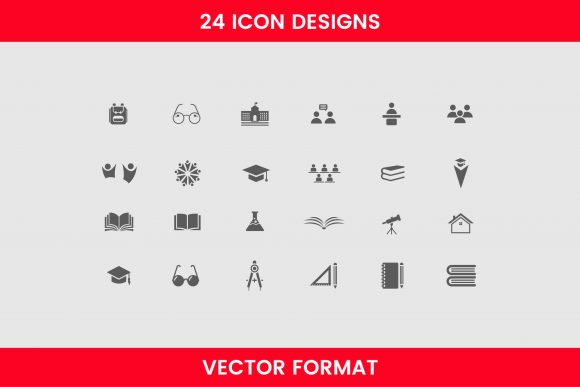
24 Education Designs: A Creative Toolkit
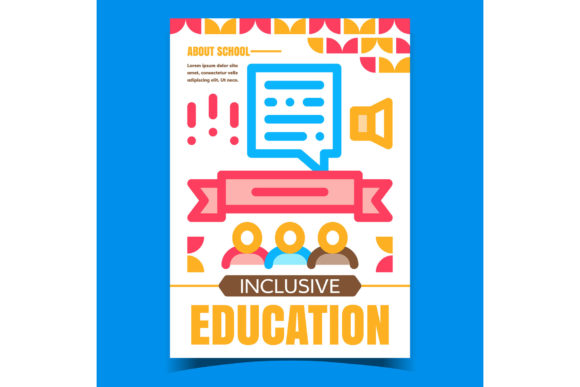
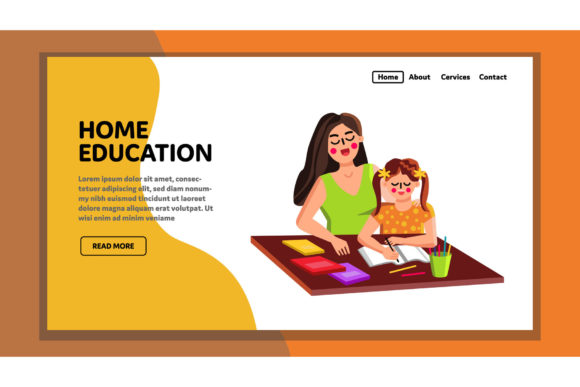
Creating visual content for educational purposes often feels like a balancing act. You need materials that are engaging enough to capture attention but professional enough to convey authority. This is where 24 Education Designs steps in as a practical solution for creators, teachers, and small business owners alike. Rather than spending hours sketching from scratch or hiring expensive graphic designers, this collection offers a ready-made library of cute, creative, and excellent icon designs that can be tailored to fit your specific needs.
The core appeal of this resource lies in its versatility. It includes twenty-four distinct styles, meaning you are not locked into a single aesthetic. Whether you are designing a playful worksheet for kindergarten students or a sleek brochure for an online tutoring service, there is a style within this pack that aligns with your brand voice. The inclusion of editable icons means you retain full control over the final look, allowing for seamless integration into existing projects.
Understanding the Value of Vector Formats
One of the most significant technical advantages of 24 Education Designs is its file format. The entire collection is available in .svg (Scalable Vector Graphics) format. For those new to digital design, this might seem like a minor detail, but it is actually crucial for quality and flexibility.
Unlike standard image files like JPEGs or PNGs, which are made of pixels, vector graphics are based on mathematical paths. This means you can resize these education symbols—whether it’s a tiny favicon for a website or a massive banner for a classroom wall—without any loss of quality. There will be no pixelation or blurriness, ensuring your materials always look crisp and professional. This scalability is particularly valuable for entrepreneurs and marketers who need to repurpose the same asset across various platforms, from social media posts to printed handouts.
What Is Included in the Collection?
The diversity of the assets ensures that you have a comprehensive toolkit for almost any educational theme. The pack contains vector formats of different education designs, covering a wide range of essential imagery. You will find classic items such as:
- School bags and backpacks: Perfect for back-to-school campaigns or organizational guides.
- Class materials: Including pencils, notebooks, rulers, and erasers, which are ideal for illustrating study tips or supply lists.
- Education symbols: Such as graduation caps, diplomas, apples, and globes, which serve as universal shorthand for learning and achievement.
Each of these elements is designed to be cute and creative, moving away from the sterile, clip-art look that often plagues educational materials. The twenty-four different styles allow you to mix and match or stick to a cohesive theme, depending on the project requirements.
Practical Applications for Creators and Educators
The utility of 24 Education Designs extends far beyond simple decoration. Here are several realistic scenarios where these editable icons can solve common problems and enhance communication:
- E-Learning Course Creation: If you are an educator building an online course, visual consistency is key to keeping students engaged. You can use these icons to break up text-heavy modules, highlight key takeaways, or create intuitive navigation buttons. For instance, a pencil icon could mark a quiz section, while a book icon indicates reading material.
- Marketing for Tutoring Services: Freelancers and small business owners running tutoring agencies need high-quality visuals for their websites and social media. These SVG files can be easily colored to match your brand palette, helping you maintain a professional identity without the cost of custom illustration.
- Printable Classroom Resources: Teachers can use these designs to create visually appealing worksheets, reward charts, or classroom labels. Because the files are editable, you can change colors to suit seasonal themes or specific subject matters, making learning materials more inviting for students.
- Educational Blogging and Content Marketing: Bloggers who write about parenting, study hacks, or career development can use these icons to make their articles more scannable and visually interesting. An eye-catching header image featuring a stylized school bag can significantly improve click-through rates.
Why Editability Matters
The term "editable" is central to the value proposition of this pack. Many free resources offer static images that cannot be changed, forcing users to work around limitations. With 24 Education Designs, you can modify colors, strokes, and shapes. This is particularly useful for maintaining brand consistency. If your company uses a specific shade of blue, you can adjust the icons to match exactly, creating a cohesive visual experience for your audience.
For beginners, this editability might seem daunting, but modern design tools have made accessing SVG files easier than ever. Platforms like Canva, Adobe Illustrator, and even some word processors now support SVG imports. This lowers the barrier to entry, allowing hobbyists and non-designers to utilize professional-grade assets without needing advanced technical skills.
Important Considerations Before Use
While 24 Education Designs offers immense value, there are a few things to keep in mind to ensure you get the most out of the product. First, consider your target audience. While the designs are described as cute and creative, some professional contexts may require a more minimalist approach. Fortunately, having twenty-four different styles gives you the flexibility to choose simpler icons for corporate training materials and more playful ones for early childhood education.
Second, always check the licensing terms associated with the download. Understanding whether the license allows for commercial use, modification, and redistribution is essential, especially if you plan to use these icons in products you intend to sell. Most reputable design packs allow for broad usage, but verifying this protects your business from potential legal issues.
Finally, think about integration. Since these are vector files, ensure your workflow supports SVGs. If you are primarily working in software that only accepts raster images, you may need to convert them, though this is rarely necessary with modern tools. Planning your design process around the strengths of vector graphics will save you time and effort in the long run.
Enhancing Your Educational Content
In a digital world saturated with information, standing out requires more than just good writing; it demands compelling visuals. 24 Education Designs provides a bridge between professional quality and accessible creation. By offering a diverse range of styles and fully editable vector formats, it empowers educators, marketers, and creators to produce materials that are not only informative but also visually engaging.
Whether you are looking to refresh your classroom decor, launch a new e-learning platform, or simply add a touch of creativity to your next blog post, this collection serves as a reliable foundation. The ability to customize each element ensures that your final output remains unique to your vision, while the high-quality SVG format guarantees that your work looks polished across all mediums. Embracing these tools can streamline your creative process, allowing you to focus more on delivering value and less on the mechanics of design.